Automatic Group Size Measurement on Sight-In Targets
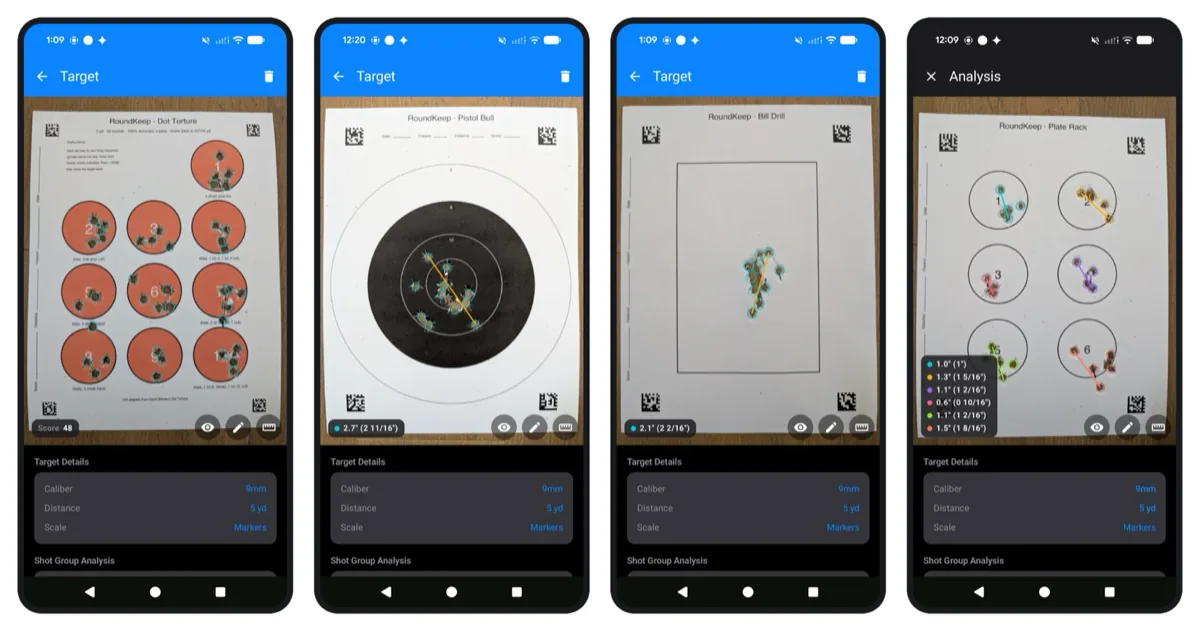
RoundKeep has been able to find bullet holes on a photo of a target for a while now, but turning those holes into an actual group size still needed a manual step: you had to tell the app how big something in the photo was before any measurement meant anything. That step is now gone for sight-in targets.
A lot of people here and on Reddit asked for this, and the support I got on the first version is the reason I kept working on it. Thank you for that.
How the Grid Sets the Scale
Sight-in targets almost all print a one-inch grid. That grid is a scale reference sitting right there in the photo - if the app can find it, it knows how many pixels make an inch, and every group size follows from that.
So I made some tweaks to detect the grid and set the scale from it. This is good old computer vision running locally on your device. No AI, no upload, no account. The photo never leaves your phone, same as the rest of the app.
It works really well on high-contrast splatter targets, which is what's in the video, and on red-on-white style targets. Those two are the ones I've tested most. I have a stack of other target types to run it against, and the detection will do better on some than others - a faint grid on a busy background is a harder problem than a black grid on white.
On my iPhone Air it takes a few seconds to get all the group sizes on a sheet. It works on Android too, but takes a bit longer on a Pixel 8.
For targets without a grid, nothing has changed: you can still set the scale by hand, and the printable targets carry markers in the corners that the app reads for scale automatically. Shot group analysis covers both paths.
Automatic Scoring, Early Draft
I also added a first pass at automatic scoring for Dot Torture. Instead of a group size it gives you a score, which is what you actually care about on that drill.
This one only works on the printable targets with markers, not on arbitrary sheets, and it is genuinely an early draft. I'm posting it because I'd rather have people try it and tell me where it's wrong.